 Sea Tech

H2E Studio packages HTML5 projects into professional Windows desktop software. It supports both online URLs and local-resource packaging, producing applications as small as 3 MB while smoothly handling more than 1.5 GB of local content.
It is suited to VR panoramas and digital showrooms, educational courseware, desktop versions of enterprise SaaS/OA systems, H5/WebGL games, interactive marketing, and digital brochures. Built-in licensing protection, online updates, and consistent preview capabilities support the full development, protection, and distribution workflow.
Key features
High-Volume 1.5 GB Throughput
The virtual file system smoothly handles more than 1.5 GB of local resources, making it suitable for 8K panoramic content and large WebGL projects.
Commercial-Grade Source Encryption & License Protection
Uses AES-256 encryption and compression to protect H5 source code. Built-in machine-code binding, launch-count controls, and expiration controls let you add activation verification without additional programming.
Full Krpano Support
Resolves cross-origin issues in local execution and supports Krpano and Three.js, making it suitable for VR property tours and digital-showroom delivery.
Smart Online Updates
After you configure a server address, the app can detect new versions, download them, and install over the existing version—simplifying ongoing maintenance and distribution.
Native-Fidelity Preview
Preview and final packaging use the same runtime engine, so what you see during development stays consistent with the end-user experience.
Boss-Key Protection
Set a global shortcut to instantly hide the main window and system-tray icon for rapid privacy protection in specific situations.
System-Wide Drag & Drop
Any field that requires a file path supports direct drag-and-drop from Windows Explorer, reducing repetitive selection steps.
Tray and Exit Controls
Supports minimizing to the system tray and optional exit confirmation to prevent accidental closure.
Screenshots
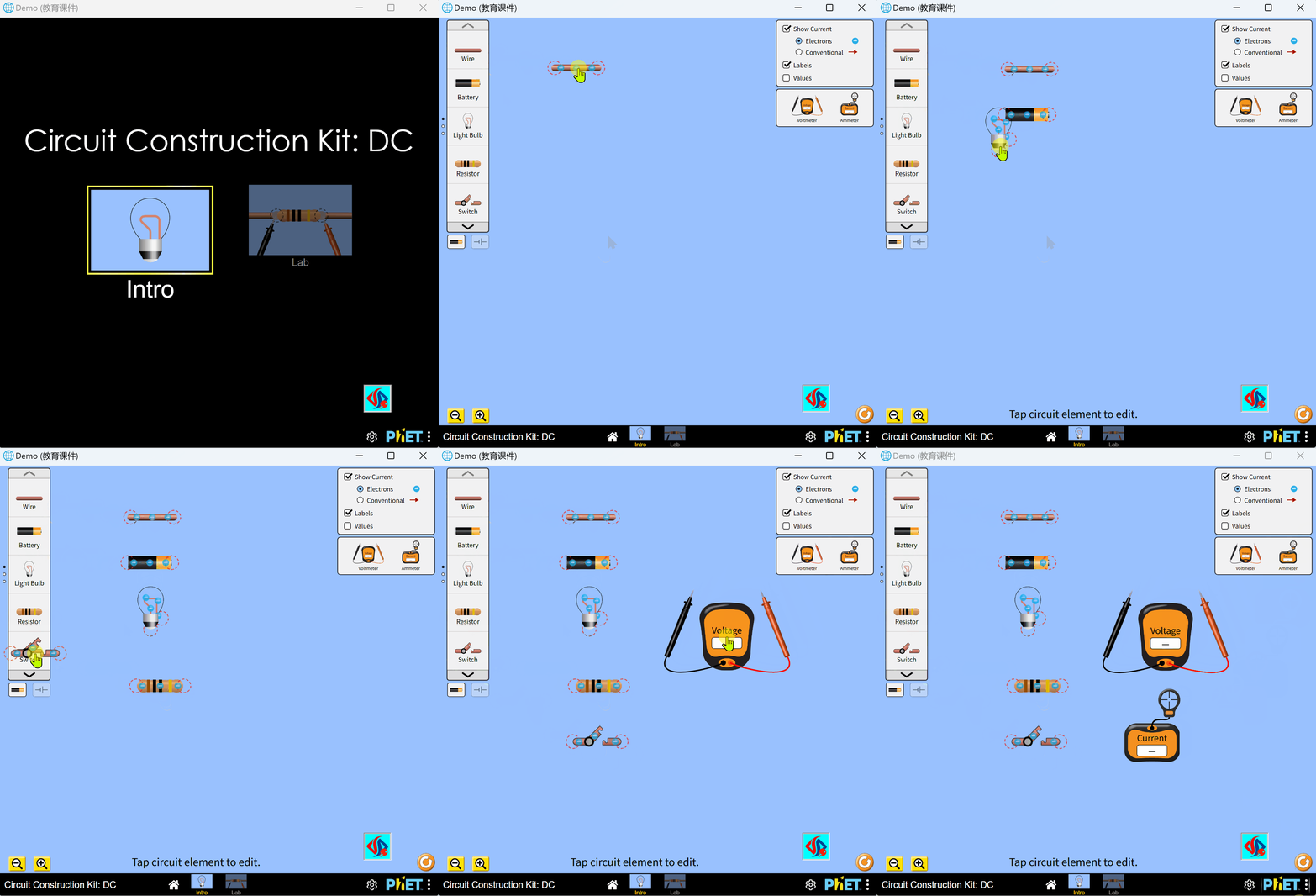
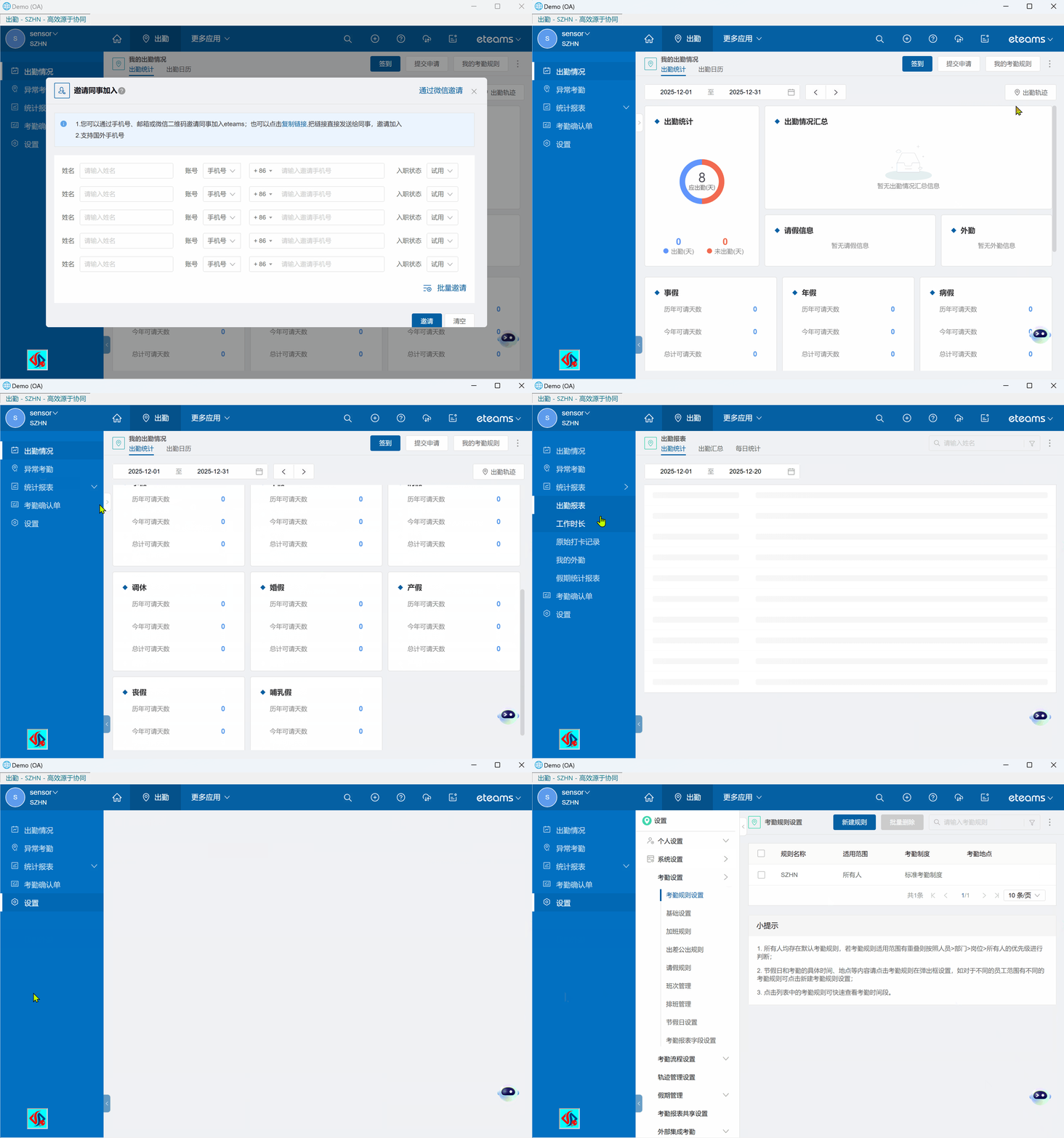
Screenshots may show the Chinese interface; available interface languages vary by product and version.
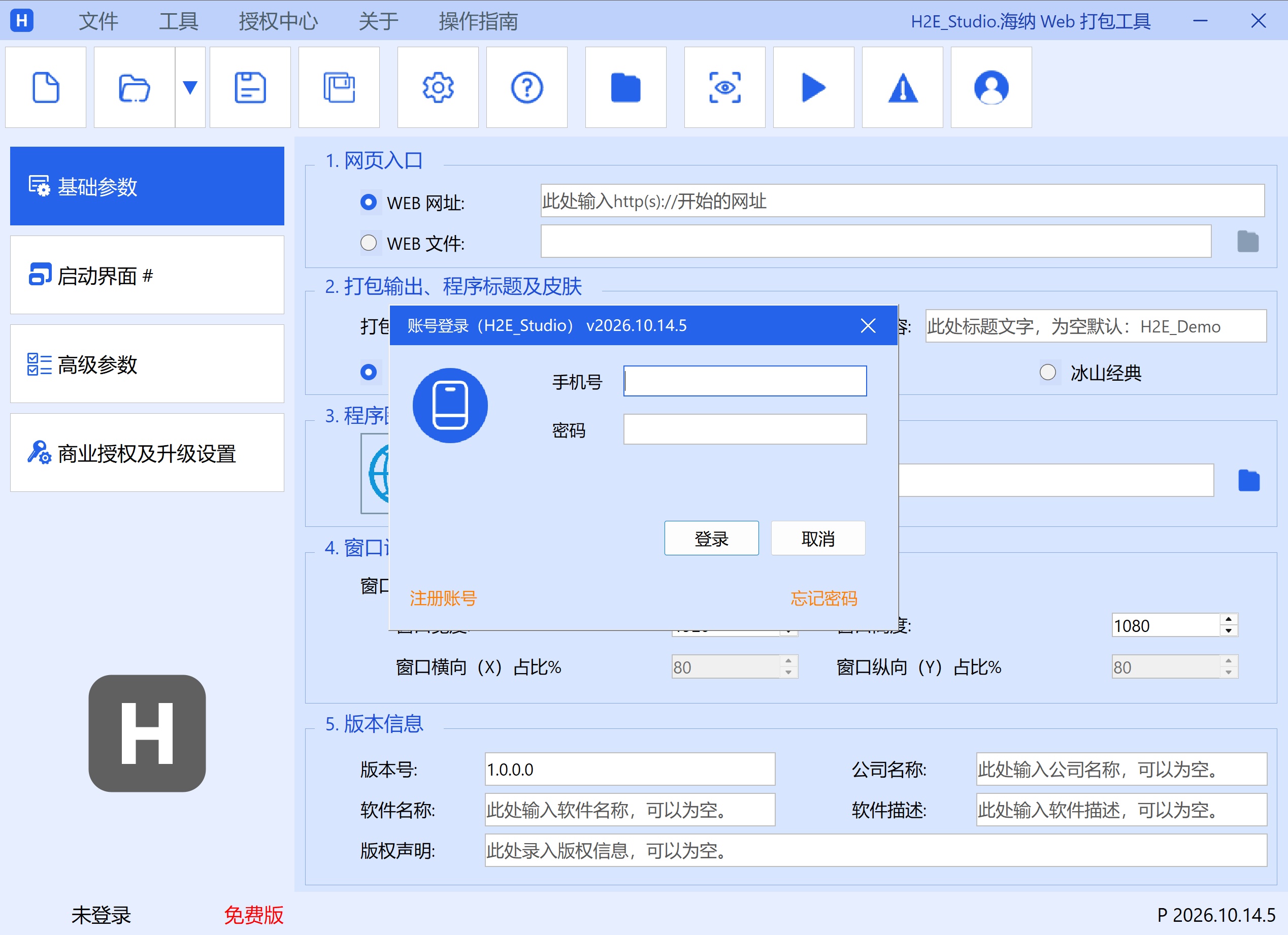
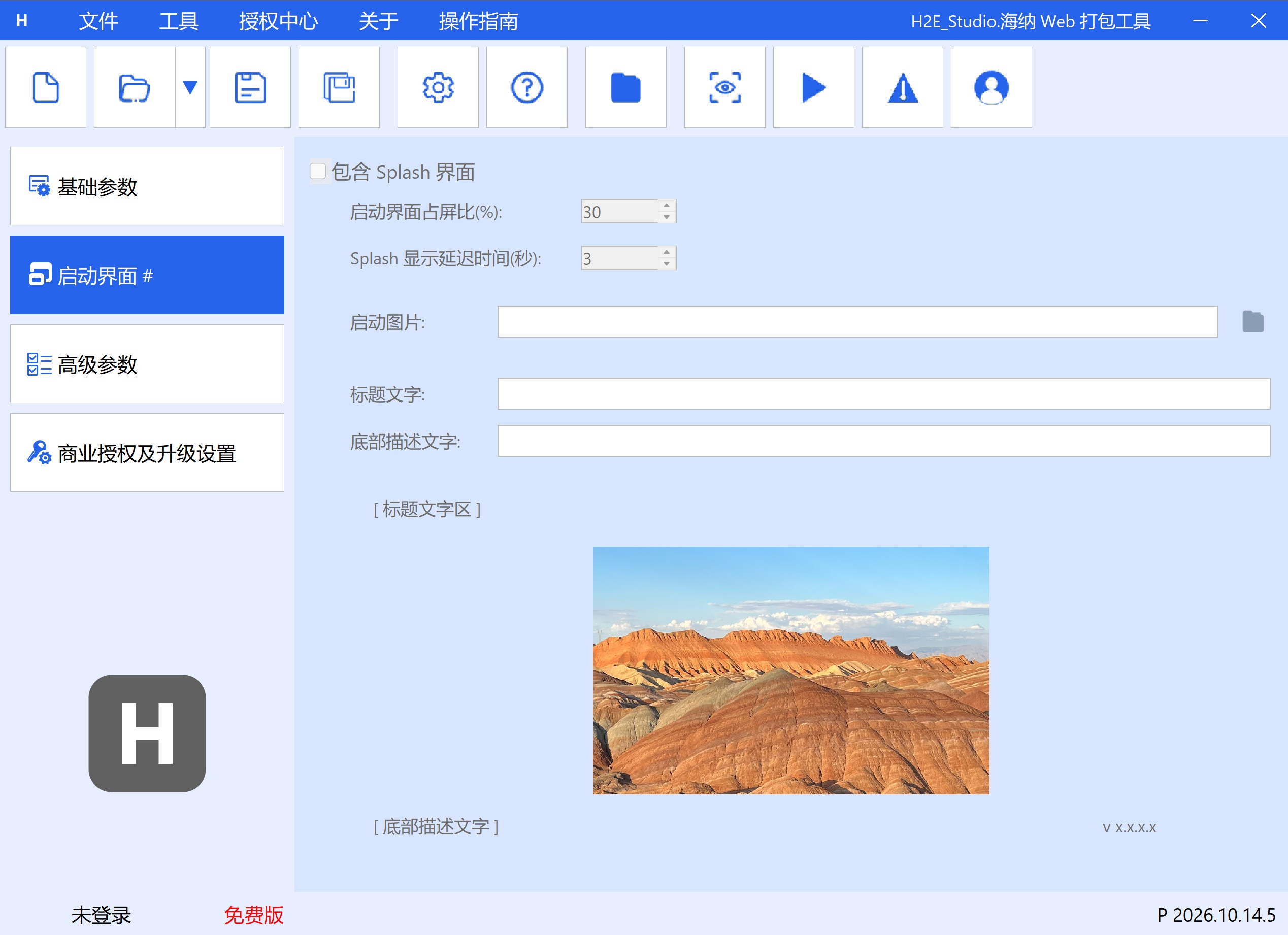
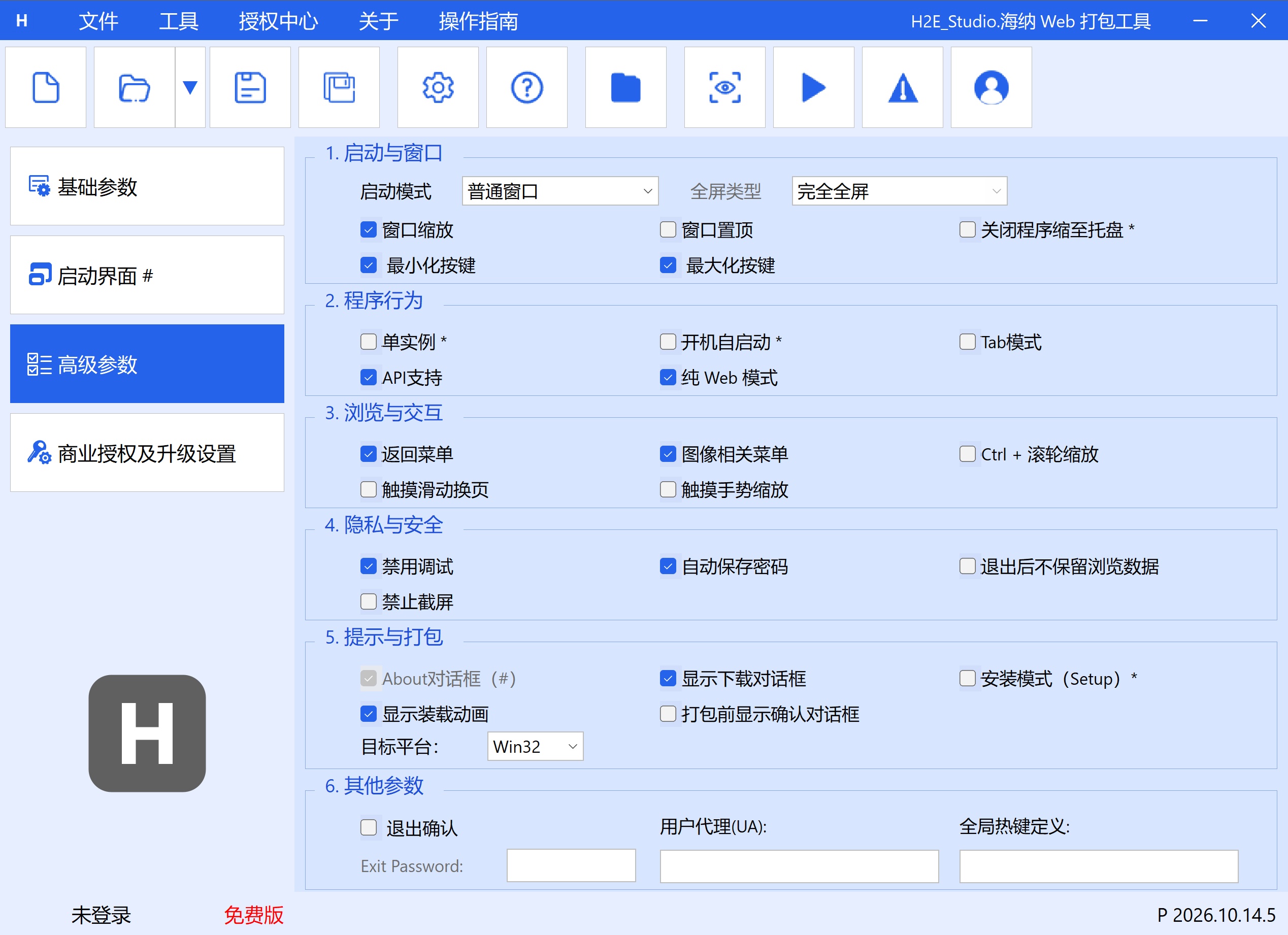
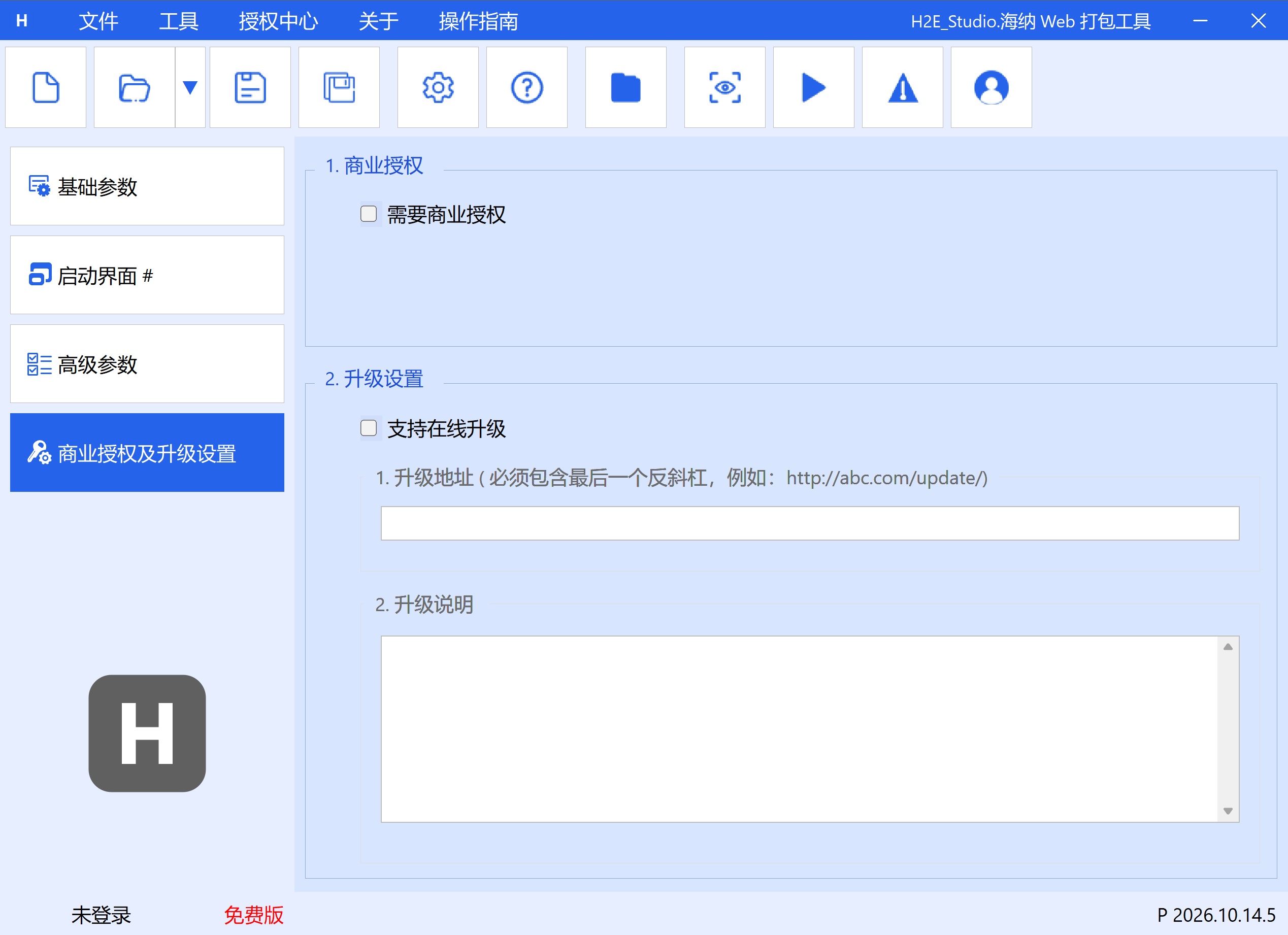
Case studies
 Real Estate and Other Industries
VR Panoramas & Digital Showrooms (Krpano)
Photorealistic 3D display of real room layouts.
 Education
Educational Courseware & Intellectual Property Protection
Protect your intellectual property.
 Gaming
Lightweight H5 / WebGL Games
H5 games and more.
 Enterprise
Desktop Applications for Enterprise SaaS / OA Systems
Easily turn enterprise-management and OA systems into desktop applications.
 All Industries
Interactive Marketing & Digital Brochures
Encrypt desktop tools for marketing e-brochures.
Compatibility & system requirements
1. Windows 10
2. Windows 11
3. Microsoft Edge WebView2 Runtime
4. Supports 32-bit and 64-bit target applications
5. Reserve sufficient memory and disk space when processing large local resources
6. Internet connection
Downloads & versions
Licensing & purchase
Single-Use License
RecommendedAllows one successful package build.
- Deducted per successful export
- Unsuccessful builds do not consume a use
20-Use License
Export 20 EXE files successfully.
- Deducted per successful export
- Unsuccessful builds do not consume a use
10-Use License
Export 10 EXE files successfully.
- Deducted per successful export
- Unsuccessful builds do not consume a use
Monthly Membership
RecommendedValid for 30 days from approval and issuance.
- Ideal for short-term projects
- Unlimited use during the license period
Quarterly Membership
Valid for 90 days from approval and issuance.
- Ideal for ongoing delivery projects
- Unlimited use during the license period
Annual Membership
Valid for 365 days from approval and issuance.
- Ideal for long-term use
- Unlimited use during the license period
Before you purchase
Prices are in CNY and payment is made using the WeChat QR code shown for the selected license plan. Licenses are delivered manually during published support hours in China Standard Time (UTC+8). Before payment, please confirm the license start date, reissue process after changing devices or reinstalling, refund conditions, and invoicing with support.
FAQ
System Compatibility1. Is Windows 7 supported?
Secure Distribution2. Will generated EXEs be falsely flagged by antivirus software?
Applications are packaged on the Microsoft WebView2 runtime, which significantly reduces the likelihood of false positives. A small number of security products may still trigger heuristic detections; for formal releases, you can submit the application to the relevant vendor for allowlisting.
Frontend Frameworks3. Are Vue, React, and Angular projects supported?
Yes. H2E Studio uses a modern browser engine and can run mainstream frontend frameworks such as Vue, React, and Angular, along with modern CSS and JavaScript.
Application Architecture4. Can it generate 64-bit applications?
Application Icons5. Can I use PNG, JPG, or other images as an application icon?
Yes. The built-in converter can turn PNG, JPG, BMP, and other images into standard ICO icons. You can also use it separately through Tools → Image to ICO.
Runtime Engine6. How does WebView2 differ from legacy IE or a bundled Chrome engine?
The IE engine is obsolete and unsuitable for modern webpages, while bundling Chrome significantly increases application size. WebView2 shares the system Edge Chromium runtime, preserving modern web compatibility and ongoing security updates while substantially reducing the size of generated applications.
Offline Use7. Must the generated application be online to run?
Not necessarily. Local HTML and resources can run offline. If a project references remote webpages, online APIs, or network resources, those features still require an internet connection.
Product Use8. Can I still use my license after changing computers or reinstalling Windows?
After changing computers or reinstalling Windows, your machine code changes. If the license remains valid, you may request a license transfer from support. You must provide both the original computer’s machine code and the new computer’s machine code; neither can be omitted. Support will transfer the license in the backend. Once complete, the new computer continues the existing license automatically without reactivation, and the original computer’s license becomes invalid.
Quick start & installation
2. Create a project, then select a local HTML project folder or enter an online URL.
3. Configure the window, icon, version, and licensing options; preview the result, then build the EXE.
Release notes
v2026.10.27.02026-10-28
2026.10.27.0
增加:
1. 增加【打包结果可加壳】选项,默认:不勾选;位于“高级参数”-“提示于与打包”栏目中;
说明:当不勾选时,打包结果不可以在进行加壳,但是本地文件将会支持3GB+;勾选时,打包结果可以进行加壳,但是打包文件总大小将限制在2GB以内。
v2026.10.24.42026-10-24
2026.10.24.4
删除
1. 打包程序皮肤定义,不在支持皮肤定义,用标题栏颜色自定义取代;
增加
1. 标题栏背景颜色自定义;
2. 标题栏文字颜色自定义;
3. 边框有无以及宽度自定义;
4. Splash图片完整性显示选项框;
修复
1. 网页中“将图片另存为”打开保存对话框2次的bug;
v2026.10.24.02026-10-21
2026.10.24.0 正式发布版本
带数字签名
Privacy Policy
2. Local source processing: The entire packaging process runs offline on your device; the HTML source code is not uploaded to any server for packaging.
3. Network access: Software downloads, version updates, and license verification may require internet access.